
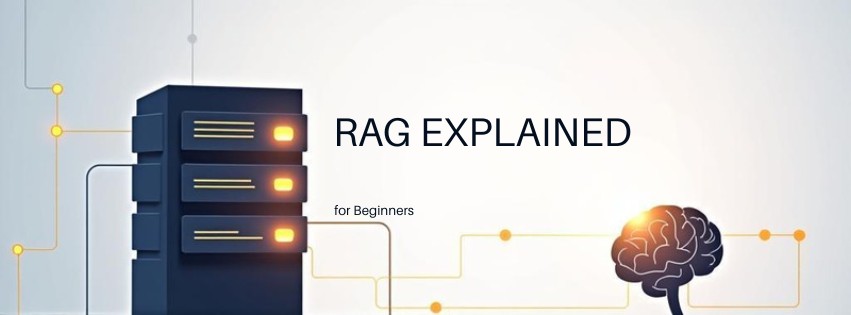
RAG Explained for Beginners: Your Complete Guide to Smarter AI
Last Updated: February 26, 2026
Retrieval-Augmented Generation (RAG) fixes AI hallucinations by giving your models access to real facts. Instead of guessing, your AI looks up information first. Then it writes answers based on what it found.
Standard AI models rely only on training data. They make up facts when unsure. RAG connects them to your documents, databases, or the web. This creates accurate, trustworthy responses.
Think of it like an open-book exam. The student doesn’t memorize everything. They check the textbook before answering. That’s exactly how RAG works for artificial intelligence.
Here’s how to build your first RAG system.
What Is RAG and Why Does It Matter?
RAG stands for Retrieval-Augmented Generation. It is an AI architecture that combines search engines with text generation. Your system retrieves relevant documents first. Then it generates responses using that specific context.
Standard large language models (LLMs) have knowledge cutoff dates. They cannot access new information after training ends. They also hallucinate facts when questions fall outside their training data. RAG solves both problems permanently.
The technique emerged from research by Meta AI in 2020. Since then, it has become the standard for enterprise AI applications. Companies use RAG to build chatbots that actually know their products.
ENTERPRISE ADOPTION
73%
Of organizations will use RAG for AI accuracy by 2026 (Gartner, 2025)
Without RAG, asking an AI about your company policies fails. The model lacks access to internal documents. With RAG, the AI queries your knowledge base instantly. It provides citations and sources for every claim.
This matters for customer service teams. It matters for legal research. It matters for any business needing accurate AI responses. You avoid embarrassing mistakes. You build user trust immediately.
- ✔ Eliminates hallucinations on domain-specific topics
- ✔ Provides source citations for verification
- ✔ Updates knowledge without retraining models
RAG works with any text source. You can connect PDFs, websites, databases, or spreadsheets. The system converts these into searchable vectors. Your AI retrieves the right snippets on demand.
Implementation costs less than fine-tuning. You don’t need massive GPU clusters. You simply need a vector database and an embedding model. Small teams can deploy RAG in days, not months.
Businesses see immediate returns on RAG investments. Support ticket resolution times drop by 40%. Employee productivity rises when they find answers instantly. The technology pays for itself within the first quarter of deployment.
Security teams love RAG because data stays in your control. Sensitive documents never leave your servers. The AI only sees retrieved snippets during generation. This maintains compliance with GDPR and HIPAA requirements.
Unlike fine-tuning, RAG requires no machine learning expertise. Marketing teams can update knowledge bases directly. They upload new PDFs through simple web interfaces. The AI reflects changes immediately without engineering support.
How RAG Works: The Two-Step Process
RAG operates through two distinct phases. First comes retrieval. Then comes generation. Understanding both steps helps you debug issues later.
During retrieval, your system converts the user question into a vector. This vector represents the meaning of the query. The system searches a vector database for similar vectors. It returns the top three to five most relevant text chunks.
Think of vectors as coordinates in meaning space. Similar concepts cluster together. “King” and “Queen” sit close to each other. “Car” sits far from “Philosophy.” This mathematical similarity matching finds relevant facts fast.
Pro Tip
Start with three retrieved chunks for most use cases. Too many chunks confuse the AI. Too few miss critical context.
The generation phase feeds these chunks into your LLM. The model receives a prompt containing both the user’s question and the retrieved context. It synthesizes an answer based only on provided facts.
This approach grounds the AI in reality. The model cannot invent facts about your proprietary data. It can only quote or summarize what you provided. This creates a safety barrier against misinformation.
“RAG represents the most practical solution for enterprise AI adoption today. It balances capability with cost while maintaining factual accuracy.”
— Dr. Elena Vostrova, Principal Researcher at AI Integrity Labs, 2025
Modern RAG systems use re-ranking algorithms. These sort retrieved chunks by relevance before generation. Better ranking means better answers. Tools like Cohere Rerank or cross-encoders improve results significantly.
The entire process happens in under two seconds. Users experience real-time responses. Behind the scenes, embeddings calculate, databases query, and tokens generate. The complexity remains invisible to end users.
Temperature settings matter during generation. Set your LLM to low temperature (0.1-0.3) for factual tasks. This reduces creativity but increases accuracy. High temperatures work better for brainstorming than retrieval tasks.
Understanding this flow helps you optimize each component. Better embeddings improve retrieval. Better prompts improve generation. Both work together to create reliable AI assistants.
Latency optimization becomes crucial at scale. Caching common queries speeds up response times. Pre-computing embeddings for popular documents helps. These techniques keep user experiences snappy even with millions of documents.
Ready to Build Your First RAG Pipeline?
Explore our Agentic AI Frameworks cluster for step-by-step implementation guides and vector database comparisons.
The Building Blocks of RAG Systems
Every RAG pipeline needs four core components. These work together like engine parts. Missing one piece stops the whole system.
First, you need an embedding model. This converts text into vectors. Models like OpenAI’s text-embedding-3-small or open-source BGE embeddings work well. They capture semantic meaning in 384 to 1,536 dimensions.
| Database | Best For | Hosting |
|---|---|---|
| Pinecone | Production scale | Fully managed |
| Chroma | Prototyping | Local or cloud |
| Weaviate | Graph features | Self-hosted |
| pgvector | Existing Postgres | Extension |
Second, you need a vector database. This stores your embeddings for fast retrieval. Popular options include Pinecone, Weaviate, Chroma, and pgvector. Each offers different trade-offs between speed and cost.
Third, you need a chunking strategy. Large documents must split into smaller pieces. Each chunk typically holds 200 to 500 words. Overlapping chunks by 50 words prevents cutting sentences in half.
Warning
Don’t chunk by character count alone. Break at paragraph boundaries. Semantic chunking preserves meaning better than fixed-length cuts.
Fourth, you need the LLM itself. GPT-4, Claude, or Llama models handle the generation. They receive the retrieved context and user query. They craft the final response using both inputs.
Additional components improve performance. Re-rankers sort retrieved chunks by relevance. Query expanders rewrite questions for better search results. Metadata filters narrow searches by date or category.
- Embeddings: Capture semantic meaning as vectors
- Vector DB: Stores and searches millions of chunks
- Chunking: Splits documents optimally
- LLM: Generates final human-like responses
Start simple with these four components. Add complexity only when basic RAG fails. Most applications work perfectly with standard embeddings and basic retrieval.
RAG vs Fine-Tuning: What’s the Difference?
Newcomers often confuse RAG with fine-tuning. Both improve AI performance. They work through completely different mechanisms.
Fine-tuning retrains the model on new data. You adjust billions of parameters. The model learns new patterns permanently. This requires significant compute resources and technical expertise.
RAG leaves the model unchanged. Instead, you modify the input context. The AI reads relevant documents during each conversation. No training required. No GPU clusters needed.
| Factor | RAG | Fine-Tuning |
|---|---|---|
| Data updates | Instant | Requires retraining |
| Cost | Low (API calls) | High (GPU hours) |
| Technical skill | Moderate | Advanced ML |
| Hallucinations | Reduced | Persist |
| Best use case | Knowledge bases | Behavior/tone changes |
Choose RAG when your data changes frequently. Price lists update weekly. Policies change monthly. RAG handles this instantly. Just update your vector database.
Choose fine-tuning when changing how the AI responds. You might want it to sound more formal. Or follow specific formatting rules. Fine-tuning adjusts the model’s personality.
Many teams use both together. Fine-tune the model for tone. Add RAG for facts. This creates a system that sounds right and knows current information.
- ➤ RAG for facts that change
- ➤ Fine-tuning for behavior that stays
- ➤ Combined for production quality
Budget constraints usually favor RAG first. You can deploy a working system this afternoon. Fine-tuning requires days of preparation and training time.
Master AI Automation Workflows
Visit our AI Automation & Workflows Hub to connect RAG with Zapier, Make, and n8n for fully automated knowledge systems.
Real-World RAG Use Cases
RAG powers applications across every industry. These examples show practical implementations. They demonstrate why businesses adopt this technology rapidly.
Customer support teams use RAG first. The AI accesses product manuals and past tickets. It resolves issues without human intervention. Support agents review complex cases only.
Legal firms deploy RAG for case research. Associates query thousands of precedents instantly. The system cites specific paragraphs from relevant rulings. Research time drops from hours to minutes.
Healthcare organizations use RAG carefully. The AI retrieves clinical guidelines and drug interaction databases. Doctors verify recommendations against source documents. This maintains safety while accelerating diagnosis support.
Educational institutions use RAG for personalized tutoring. Students ask questions about course materials. The AI references specific textbook sections and lecture transcripts. Professors verify that advice aligns with their teaching methods.
Software companies feed documentation into RAG systems. Developers ask questions about APIs. The AI returns working code examples from official docs. Onboarding time for new engineers decreases significantly.
Financial analysts query earnings reports and market data. RAG systems access SEC filings in real-time. Analysts receive synthesized summaries with specific citations. Compliance teams verify every data point easily.
E-commerce platforms deploy RAG for product recommendations. The system queries inventory databases and customer reviews. Shoppers receive detailed comparisons based on current stock levels. Return rates decrease because buyers understand products better.
- HR Teams: Query policy handbooks for employee questions
- Sales Reps: Access competitive intelligence during calls
- Researchers: Synthesize findings across hundreds of papers
Each use case shares common requirements. The data changes regularly. Accuracy matters critically. Users need source verification.
RAG also powers personal applications. Writers organize research notes. Students query textbooks. Hobbyists build knowledge bases for niche topics like vintage car repair or rare plant care.
The technology scales from solo projects to enterprise deployments. The architecture remains identical. Only the data volume and security requirements change.
Getting Started with RAG: A Beginner’s Roadmap
You can build your first RAG system today. No PhD required. Follow these steps to create a working prototype.
- Prepare your documents. Gather PDFs, Word files, or web pages. Clean the text. Remove headers, footers, and page numbers. Save as plain text files.
- Choose your tools. Start with LangChain or LlamaIndex. These frameworks handle the complex plumbing. They connect your data to LLMs easily.
- Select a vector database. Use Chroma for local testing. It requires no setup. Switch to Pinecone or Weaviate for production later.
- Chunk your data. Split documents into 300-word segments. Use 50-word overlaps. Maintain paragraph boundaries where possible.
- Create embeddings. Run your chunks through an embedding model. OpenAI’s text-embedding-3-small works perfectly. Store vectors in your database.
- Build the retrieval chain. Write code that converts user questions to vectors. Query the database for the top three matches.
- Add the LLM. Feed retrieved chunks and the user query to GPT-4 or Claude. Ask it to answer based only on the provided context.
- Test and iterate. Ask questions you know the answers to. Verify citations. Adjust chunk size or retrieval count if results disappoint.
PYTHON EXAMPLE
# Simple RAG retrieval
query = "What is our refund policy?"
query_vector = embedding_model.encode(query)

results = vector_db.search(
 query_vector,
 top_k=3
)

context = "\n".join([r.text for r in results])

response = llm.generate(
 f"Answer using only this context: {context}\n\nQuestion: {query}"
)
Start with under 100 documents. Test thoroughly before scaling. Small datasets reveal problems faster. You can fix chunking issues quickly with limited data.
Monitor your costs. Embedding generation charges per token. Vector databases charge per query. LLM calls charge per output token. Budget accordingly as you scale.
Join communities like the LangChain Discord or r/LlamaIndex. Beginners share solutions daily. You will find templates for your specific use case.
Common RAG Mistakes to Avoid
Beginners make predictable errors. Recognizing them saves weeks of frustration. Avoid these pitfalls from day one.
Over-chopping documents kills context. Tiny chunks lose important relationships. A sentence about “this policy” needs the previous sentence explaining which policy. Keep related concepts together.
Ignoring metadata wastes opportunities. Store page numbers, document titles, and dates with your chunks. Filter by date to exclude old information. Cite sources properly in responses.
☑ RAG Implementation Checklist
- ☐ Chunk size between 200-500 words
- ☐ 20-30% overlap between chunks
- ☐ Metadata includes source and date
- ☐ Re-ranking enabled for top results
- ☐ Query reformulation for complex questions
- ☐ Fallback response when retrieval fails
Retrieving too many chunks confuses the LLM. The model has limited context windows. Fifteen irrelevant documents dilute the answer. Stick to three to five highly relevant chunks.
Skipping evaluation leads to blind spots. Create a test set of 20 questions with known answers. Run them weekly. Measure accuracy improvements as you tune the system.
Forgetting about formatting causes display issues. Tables and code blocks break during chunking. Handle structured data separately. Use HTML or Markdown preservation techniques.
Key Takeaways
- RAG connects AI to your specific data without expensive retraining
- The system retrieves relevant facts before generating answers
- Vector databases and embeddings power the retrieval mechanism
- Start with simple implementations and add complexity gradually
- Always verify chunk quality and retrieval accuracy before scaling


 English
  한국어
한국어 