
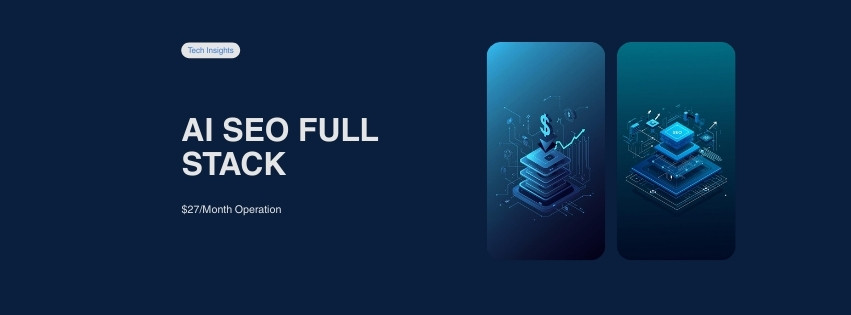
Why We Built a $27/mo AI SEO Operation (Full Stack Breakdown)
Most AI SEO tools charge $99-299/month for automated content. We built a full-stack AI SEO operation that handles keyword research, content generation, quality scoring, and publishing — for $27/month total. It manages 500+ posts across 5 hubs and 25 topic clusters.
Here’s every layer of the stack, what it costs, and how the pieces connect. We’ve been running this system in production since early 2026, and this post is the honest breakdown — the wins, the tradeoffs, and the exact dollar amounts.
> Quick Navigation: The Problem | Architecture Overview | AI Agent Layer | Automation Layer | Content Layer | Brand Layer | Cost Breakdown | Results | FAQ
The Problem — SEO at Scale Is Expensive
Here’s the math that kept us up at night. Enterprise SEO tools run $99-$299/month per seat. Semrush costs $229/month. Ahrefs runs $199/month. SurferSEO starts at $99/month. Stack two or three of those, and you’re at $400-500/month before you’ve written a single word.
Then there’s the content itself. Hiring freelance writers for SEO-optimized blog posts runs $50-200 per article. At 500 posts, that’s $25,000-$100,000 in writing costs alone. Agencies charge even more.
Our constraint was brutal: bootstrap budget, 500-post target for Year 1, and no outside funding. We couldn’t spend $500/month on tools. We couldn’t hire a writing team.
OUR TOTAL MONTHLY COST
$27/mo
Full AI SEO operation — keyword research through publishing
So we built it ourselves. The solution: AI agents for the thinking, automation for the repetition, and open-source tools for everything else.
The stack had to do five things:
- Research keywords and cluster them by intent
- Generate content that actually passes quality standards
- Score every post against 15 quality metrics before publishing
- Create on-brand featured images without a designer
- Publish to WordPress with full SEO metadata, automatically
We hit all five. Here’s how each layer works.
Build Your Own AI SEO Stack
Start with our OpenClaw Token Optimization Guide to get your AI costs under control from day one.
Our Architecture (Full Stack Overview)
The AI SEO operation runs on five layers. Each one handles a specific job, and they connect through n8n workflows and Python scripts.
Here’s the full picture, top to bottom:
- ➤ Layer 1 — AI Agent: OpenClaw (model routing, heartbeat monitoring, persistent memory)
- ➤ Layer 2 — Automation: n8n (workflow orchestration) + Python scripts (10 custom tools)
- ➤ Layer 3 — Content: Templates, quality standards, content_scorer.py
- ➤ Layer 4 — Brand: Canva design system (templates, colors, typography)
- ➤ Layer 5 — Publishing: WordPress + RankMath + wp_publisher.py
Every layer talks to the one above and below it. OpenClaw decides what to do. n8n decides when. The Python scripts do the heavy lifting. And WordPress is the final destination.
| Layer | Tool | Role | Monthly Cost |
|---|---|---|---|
| AI Agent | OpenClaw | AI task execution, model routing | $22-27 |
| Orchestration | n8n | Workflow automation, scheduling | $0 (self-hosted) |
| SEO Toolkit | Python scripts (10) | Keywords, audits, publishing | $0 |
| Design | Canva (free tier) | Featured images, brand assets | $0 |
| CMS | WordPress | Content publishing, SEO | $0 (existing hosting) |
| SEO Plugin | RankMath | On-page SEO, schema markup | $0 (free tier) |
The total: $22-27/month. Everything except OpenClaw’s API costs is free.
💡 Pro Tip
The secret isn’t any single tool. It’s model routing — sending 75% of tasks to the cheapest AI model and reserving expensive models for writing. That one decision cuts costs by 70%.
Let’s break down each layer.
The AI Agent Layer — OpenClaw
OpenClaw is the brain of the operation. It’s an AI agent framework that routes tasks to different language models based on complexity. Think of it as a smart dispatcher: simple tasks go to cheap models, and only writing goes to the expensive ones.
5-Tier Model Routing
This is the single biggest cost saver. Instead of one model for everything, we run five tiers:
| Tier | Model | Cost/1M Tokens | Task Type | % of Workload |
|---|---|---|---|---|
| Budget | Gemini 2.0 Flash | $0.10 | Heartbeats, file ops, data extraction | 75% |
| Worker | Kimi K2.5 | $0.60 | SEO analysis, browsing, multi-step reasoning | 10% |
| Writer | Claude Sonnet 4.5 | $3.00 | All content writing — every blog post | 12% |
| Frontier | Claude Opus 4.6 | $15.00 | Architecture decisions, complex debugging | 3% |
| Research | Sonar Pro | varies | Fact-checking, web research, citations | varies |
The math tells the story. Running 75% of tasks on Gemini Flash ($0.10) instead of auto-routing to Sonnet ($3.00) saves 96% on those tasks. That’s the difference between $87/month and $27/month.
OPENCLAW.JSON — MODEL ROUTING CONFIG
{
  "agents": {
    "defaults": {
      "model": "google/gemini-2.0-flash-001",
      "models": {
        "fast":   { "id": "google/gemini-2.0-flash-001" },
        "kimi":   { "id": "moonshot/kimi-k2.5" },
        "sonnet": { "id": "anthropic/claude-sonnet-4-5-20250514" },
        "opus":   { "id": "anthropic/claude-opus-4-6" },
        "sonar":  { "id": "perplexity/sonar-pro" }
      }
    }
  }
}
Notice the default is gemini-2.0-flash-001. Every task starts cheap. You escalate only when the task genuinely demands it.
Heartbeat on API Model
OpenClaw runs a heartbeat check every 55-60 minutes. It’s a simple “are you alive?” ping. If that routes to Opus at $15/million tokens, it wastes $15-30/month doing absolutely nothing useful.
We pin heartbeats to Gemini Flash. Always. No exceptions. Cost: pennies per month.
Prompt Caching and QMD
Two more optimizations that stack:
- Prompt caching: Claude offers a 90% discount on repeated context blocks. Our system prompts and templates use identical prefixes, hitting the cache on nearly every call.
- QMD local search: Instead of loading our entire 420-line AGENTS.md into every context window, QMD searches locally and injects only the relevant 10-20 lines. That’s a 90% reduction in memory tokens per session.
Related: For the complete optimization guide, read our OpenClaw Token Optimization Guide.
“The biggest waste in AI agent operations isn’t the model — it’s routing every task to the same model. Tiered routing with cheap defaults is how you keep costs predictable at scale.”
— Swyx (shawn@wang), Founder of Latent Space and smol-ai, 2025
The Automation Layer — n8n + Python Scripts
OpenClaw decides what to do. n8n and Python scripts decide when and how.
n8n — Visual Workflow Builder
n8n is an open-source workflow automation tool with 400+ integrations. We self-host it (cost: $0), and it handles scheduling, triggers, and data flow between our Python scripts.
Why n8n over code-first frameworks like CrewAI or LangGraph? Three reasons:
- Visual debugging. When a workflow breaks at 2 AM, you can see exactly which node failed. Try that with 500 lines of async Python.
- Non-developer friendly. The content team can modify publishing schedules without touching code.
- Integration ecosystem. WordPress, Google Sheets, Telegram, email — all pre-built connectors. No API wrangling.
For the full framework comparison, see our AI Agent Frameworks for SEO Comparison.
Our 10 Python Scripts
These are the workhorses. Each script handles one job and does it well:
| # | Script | What It Does |
|---|---|---|
| 1 | keyword_mapper.py | Keyword research and clustering by search intent |
| 2 | content_scorer.py | 15-point quality gate — readability, links, visual density |
| 3 | wp_publisher.py | WordPress REST API publishing with full metadata |
| 4 | 06_seo_audit_swarm.py | Orchestrates all audit scripts in sequence |
| 5 | audit_onpage.py | On-page SEO analysis for every published post |
| 6 | smart_interlinker.py | Internal link recommendations based on content similarity |
| 7 | content_freshness_auditor.py | Finds stale content that needs updating |
| 8 | orphan_audit.py | Detects pages with zero internal links pointing to them |
| 9 | schema_injector.py | Adds Article, FAQ, and HowTo structured data |
| 10 | 05_content_publisher.py | Batch publishing automation for cluster rollouts |
Every script is open-source Python. No paid dependencies. No SaaS subscriptions. They run on any machine with Python 3.10+.
💡 Pro Tip
Start with three scripts: keyword_mapper.py, content_scorer.py, and wp_publisher.py. Those three cover 80% of the pipeline. Add the audit scripts after you have 50+ published posts.
The audit swarm (06_seo_audit_swarm.py) deserves a special mention. It chains together on-page audits, orphan detection, freshness checks, and internal linking — then outputs a single prioritized action list. One command. Full site health report.
Related: We cover n8n SEO workflows and the Python SEO toolkit in dedicated guides.
The Content Layer — Templates, Standards, Quality Gates
This is where most AI content operations fail. They generate text but don’t enforce quality. We built a three-part system that prevents bad content from ever reaching WordPress.
3-Tier Content Structure
Not all posts are equal. We use a hub-and-spoke architecture:
- Hub pages (3,000-5,000 words): The top-level authority page for each topic area. We have 5 hubs.
- Pillar posts (2,500-3,500 words): In-depth guides for each topic cluster. 25 total across our 5 hubs.
- Supporting posts (1,200-2,000 words): Specific, focused articles that link back to their pillar. ~450 planned.
That gives us 5 hubs, 25 clusters, and roughly 500 posts for Year 1. Every post knows where it lives in the hierarchy and what it links to.
Content Quality Standards
We enforce hard rules on every piece of content:
- ✔ Maximum 3 sentences per paragraph (prefer 1-2 for mobile)
- ✔ Visual break every 100-150 words (table, tip box, list, code block)
- ✔ 12 styled HTML components rotating through content
- ✔ 3+ different bullet formats per article
- ✔ At least 1 expert blockquote with full attribution
- ✔ 3 CTAs distributed at early, mid, and late positions
The Quality Gate — content_scorer.py
Before any post goes live, content_scorer.py runs 15 automated checks:
QUALITY GATE — 15-POINT SCORING
Readability      — Flesch-Kincaid score ≤ 12
Paragraph length — No paragraph > 3 sentences
Visual density   — 5+ visual elements per 1,000 words
Bullet variety   — 3+ different list formats
Keyword density  — 0.5-2.5%, natural placement
Internal links   — 5+ with descriptive anchor text
External links   — 3+ to authoritative sources
Expert quotes    — 1+ with full attribution
CTA placement    — 3 CTAs distributed throughout
FAQ quality      — 5+ questions, 2+ sentences each
Heading hierarchy— H1 > H2 > H3, no H4+
Freshness signals— Current year + Last Updated date
E-E-A-T signals  — Case study + sources + author
Banned words     — Zero matches from banned list
Word count       — Meets target for post type
Posts must score B or higher (80+/100) to publish. Anything below gets flagged with specific fix instructions.
⚠️ Warning
All content writing goes through Claude Sonnet — the only model approved for draft generation. Cheaper models produce noticeably worse prose. We tested. Flash-generated articles had 3x higher edit rates.
Template-First Writing
Every post starts from a template, not a blank page.
We maintain pillar_template.md and supporting_post_template.md with pre-built section structures, formatting rules, and internal linking placeholders. The AI fills in the content; the template enforces the structure.
💡 Pro Tip
Template-first writing is 3x faster than blank-page writing. Every post starts from pillar_template.md or supporting_post_template.md. The structure is decided before the AI writes a single word.
See the Quality Gate in Action
Our content_scorer.py is open-source. Run it on your own posts to see where they fall short.
The Brand Layer — Canva Design System
Consistent visuals across 500+ posts isn’t optional — it’s how readers recognize your brand in search results. We built a design system in Canva’s free tier that handles featured images, social cards, and infographics.
Brand Colors
Every design uses these four colors:
| Color | Hex Code | Usage |
|---|---|---|
| Dark Navy | #0F172A | Backgrounds, dark text |
| Electric Blue | #3B82F6 | Primary buttons, links, accents |
| Cyan | #06B6D4 | Secondary accents, highlights |
| Amber | #F59E0B | Warnings, CTAs, emphasis |
Typography
- Space Grotesk: All headings. Bold, modern, high legibility at large sizes.
- Inter: Body text. Clean, readable, optimized for screens.
- JetBrains Mono: Code blocks and technical content. Monospaced, developer-friendly.
Featured Image Templates
We built reusable Canva templates at 1200x630px (the standard OG image size). Each template follows the same layout:
- Dark Navy background with subtle gradient
- Post title in Space Grotesk Bold, white text
- Accent bar in Electric Blue or Cyan
- DesignCopy.net watermark in bottom-right corner
Creating a featured image takes under 2 minutes. Duplicate the template, swap the title text, export as PNG. No designer needed.
The Cost Breakdown (Every Dollar Accounted For)
Here’s where every dollar goes each month. No hidden costs. No “plus hosting” asterisks.
| Component | Monthly Cost | What It Does |
|---|---|---|
| OpenClaw — Gemini Flash (75% of tasks) | $1.20 | Heartbeats, data extraction, classification, routing |
| OpenClaw — Kimi K2.5 (10% of tasks) | $2.40 | SEO analysis, agentic browsing, multi-step reasoning |
| OpenClaw — Claude Sonnet (12% of tasks) | $12.00 | All content writing — blog posts, hub pages, guides |
| OpenClaw — Claude Opus (3% of tasks) | $6.00 | Architecture decisions, complex debugging, code review |
| OpenClaw — Sonar Pro (varies) | $3.00 | Research queries, fact-checking, citation gathering |
| n8n | $0.00 | Self-hosted workflow automation |
| Python scripts (10) | $0.00 | Open-source SEO toolkit |
| Canva | $0.00 | Free tier — featured images and brand assets |
| WordPress | $0.00 | Existing hosting already covers it |
| RankMath | $0.00 | Free tier — on-page SEO and schema markup |
| Total | $24.60 | Full AI SEO operation |
MONTHLY OPERATIONAL COST
$24.60
Full-stack AI SEO — keyword research through automated publishing
That’s $24.60/month to run a content operation that would cost $2,000-5,000/month with traditional tools and freelancers. The vast majority goes to Claude Sonnet for content writing — which is the one place we refuse to cut corners.
Some months the total creeps toward $27 when we run heavy Opus sessions for architecture work or debugging. But it’s never exceeded $30.
What Traditional Tools Would Cost
For context, here’s what this operation would cost using paid alternatives:
| Traditional Approach | Monthly Cost |
|---|---|
| Semrush (keyword research + audits) | $229 |
| SurferSEO (content optimization) | $99 |
| Freelance writers (50 articles/mo) | $5,000 |
| Canva Pro (design) | $13 |
| Traditional total | $5,341 |
We’re running at 0.5% of that cost. The tradeoff? More setup time upfront and the need to maintain custom scripts. For us, that’s a tradeoff worth making every single day.
Results and What’s Next
We’ve been running this AI SEO operation for several months now. Here’s where things stand and where we’re headed.
Year 1 Targets
- ➤ Content: 500 posts across 5 hubs and 25 clusters
- ➤ Traffic: 75,000 organic sessions per month by end of Year 1
- ➤ Revenue: $3,000/month in affiliate commissions from SEO tool reviews
- ➤ Cadence: 12 posts per week, batched by cluster for topical authority
Publishing Strategy
We don’t publish randomly. Posts go live in cluster batches — meaning we publish all 15-20 posts for one topic cluster before moving to the next. This builds topical authority faster than scattering posts across different topics.
Each batch follows this sequence:
- Publish the pillar post first (this post, for example)
- Publish supporting posts over 2-3 weeks, each linking back to the pillar
- Update the hub page with links to the new cluster
- Run
smart_interlinker.pyto add cross-cluster links - Run
06_seo_audit_swarm.pyto catch any gaps
“Topical authority isn’t about publishing more. It’s about publishing with structure. A 50-post cluster with tight internal linking will outrank 200 scattered articles every time.”
— Kevin Indig, Growth Advisor (ex-Shopify, ex-G2), 2025
What We’d Do Differently
If we started over today, two changes:
- Install QMD from day 1. We wasted about $20 in the first month on bloated context windows before adding QMD local search. That 90% token reduction should be there from the start.
- Set up Telegram notifications from day 1. Monitoring a headless AI agent without push notifications is like driving without a dashboard. We added Telegram alerts in week 3 and immediately caught two broken workflows that had been silently failing.
Frequently Asked Questions
How much does an AI SEO operation cost?
Our full AI SEO operation costs $24.60/month. That covers AI model API costs through OpenClaw, with everything else running on free or self-hosted tools. The biggest expense is Claude Sonnet for content writing at roughly $12/month. Your cost will vary based on content volume — we produce about 12 posts per week at this price point.
Can I replicate this setup?
Yes, and you don’t need a computer science degree. The core tools are OpenClaw (open-source), n8n (open-source, visual builder), Python scripts (we provide them), Canva (free tier), and WordPress. The hardest part is the initial OpenClaw configuration, which takes about 2-3 hours following our token optimization guide. After that, most workflows are visual drag-and-drop in n8n.
Do I need coding skills?
Basic Python helps but isn’t strictly required. You’ll need to run Python scripts from the command line and edit YAML config files. If you can follow step-by-step instructions and aren’t afraid of a terminal window, you can get this working. For the n8n workflows, everything is visual — no coding needed. For deep customization of the Python scripts, intermediate Python skills are useful.
What’s the minimum to get started?
You can start with just OpenClaw and WordPress for under $10/month. Configure 5-tier model routing, write content with Sonnet, and publish manually. Add n8n when you want automation. Add the Python scripts when you want quality gates. Add Canva templates when you want brand consistency. The stack is modular — you don’t need all five layers on day one.
How long does setup take?
Expect 8-12 hours for the full stack. OpenClaw configuration takes 2-3 hours. n8n installation and basic workflows take 2-3 hours. Learning the Python scripts takes 1-2 hours. Canva template creation takes 1-2 hours. WordPress and RankMath setup takes 1 hour. You can spread this across a weekend. Most of that time is front-loaded — daily operation after setup takes minutes, not hours.
Is the content quality good enough to rank?
Our content passes the same quality checks we’d apply to human-written articles. Every post runs through a 15-point quality gate checking readability, keyword placement, internal linking, visual density, and E-E-A-T signals. The key is using Claude Sonnet for all writing — cheaper models produce noticeably worse output. We also enforce template-based structures, which prevent the “AI slop” problem of meandering, unfocused articles. Posts that don’t score 80+ out of 100 get flagged and rewritten before publishing.
Getting Started: Your Next Steps
This AI SEO operation didn’t get built in a day. Here’s the path based on where you are right now.
If you’re a beginner: Start with the OpenClaw Token Optimization Guide. It walks you through model routing, heartbeat configuration, and cost controls. Get your AI costs predictable before building anything else.
If you’re intermediate: Set up 5-tier model routing first, then install n8n and connect it to your WordPress instance. Our AI Agent Frameworks Comparison explains why we chose n8n and how to evaluate alternatives for your situation.
If you’re advanced: Build the full automation pipeline. Clone the Python scripts, configure the quality gate thresholds for your niche, and set up batch publishing with cluster-based rollouts. The AI Model Comparison for SEO will help you fine-tune which models handle which tasks.
☑ Quick-Start Checklist
- ☐ Sign up for OpenClaw and configure 5-tier model routing
- ☐ Pin heartbeats to Gemini Flash (save $15-30/month immediately)
- ☐ Set up QMD local search to reduce context window costs
- ☐ Install n8n (self-hosted) and create your first publishing workflow
- ☐ Create Canva featured image templates using your brand colors
- ☐ Run
content_scorer.pyon your first draft before publishing - ☐ Publish your first cluster batch (pillar + 5 supporting posts)
🔎 Key Takeaways
- A full AI SEO operation costs $24.60/month with 5-tier model routing, n8n automation, and open-source Python scripts
- 75% of AI tasks should run on the cheapest model (Gemini Flash at $0.10/1M tokens) — only content writing needs Claude Sonnet
- Quality gates are non-negotiable: 15-point scoring prevents bad content from reaching your site
- Template-first writing with hub-and-spoke architecture is 3x faster and builds topical authority
- The stack is modular — start with OpenClaw + WordPress and add layers as you grow
Explore our complete AI-Powered SEO hub for every guide, tool comparison, and workflow template in this series.
Ready to Build Your AI SEO Stack?
Start with the token optimization guide, set up model routing, and publish your first cluster this week. The sooner you start, the sooner compound traffic kicks in.


 English
  한국어
한국어 